
Spain Postcode Radius Search: Postcodes and Places Within a Radius
With the Spain postcode radius search you can find places and postcodes within the radius you need. Inputs such as 28001 or Madrid are recognised. Accents do not matter: Málaga and Malaga give the same result, and Seville finds Sevilla.
Start searchingCompass
Search history
• CSV for imports (TMS, exchanges), XLSX for Excel
Spain postcode radius search: key facts for dispatchers
What dispatchers should know about the Spain postcode radius search: Postcodes, provinces and transport routes on the Iberian Peninsula and the islands.
Spanish postcodes (código postal) have five digits and have been in use since 1984. The first two digits stand for the province, for example 28 for Madrid, 08 for Barcelona and 46 for Valencia. A 0 in third position usually marks the provincial capital. With “Top 10” you therefore get one result per province. More on the structure: Postal codes in Spain on Wikipedia. Official postcodes: Correos, the Spanish postal service.
Traffic concentrates around Madrid, Barcelona and Valencia and at the ports of Valencia, Barcelona and Algeciras. Some motorways charge tolls (autopistas de peaje, marked AP), while many autovías marked A are toll-free.
The data also covers the Balearic and Canary Islands. The straight line runs across the sea there: a radius around Palma or Las Palmas shows places on the same or neighbouring islands. Whether you can reach them depends on the ferry connections.
3D load planning & loading metre calculation in real time
Plan your transport end to end: with our new 3D loading metre calculator, dispatchers and forwarders work out freight capacity, pallet spaces and payload in an interactive 3D simulation. Standard semi-trailer, mega trailer, jumbo drawbar combination, van or shipping container: you see straight away how many pallets fit on the truck and how much floor space is left.
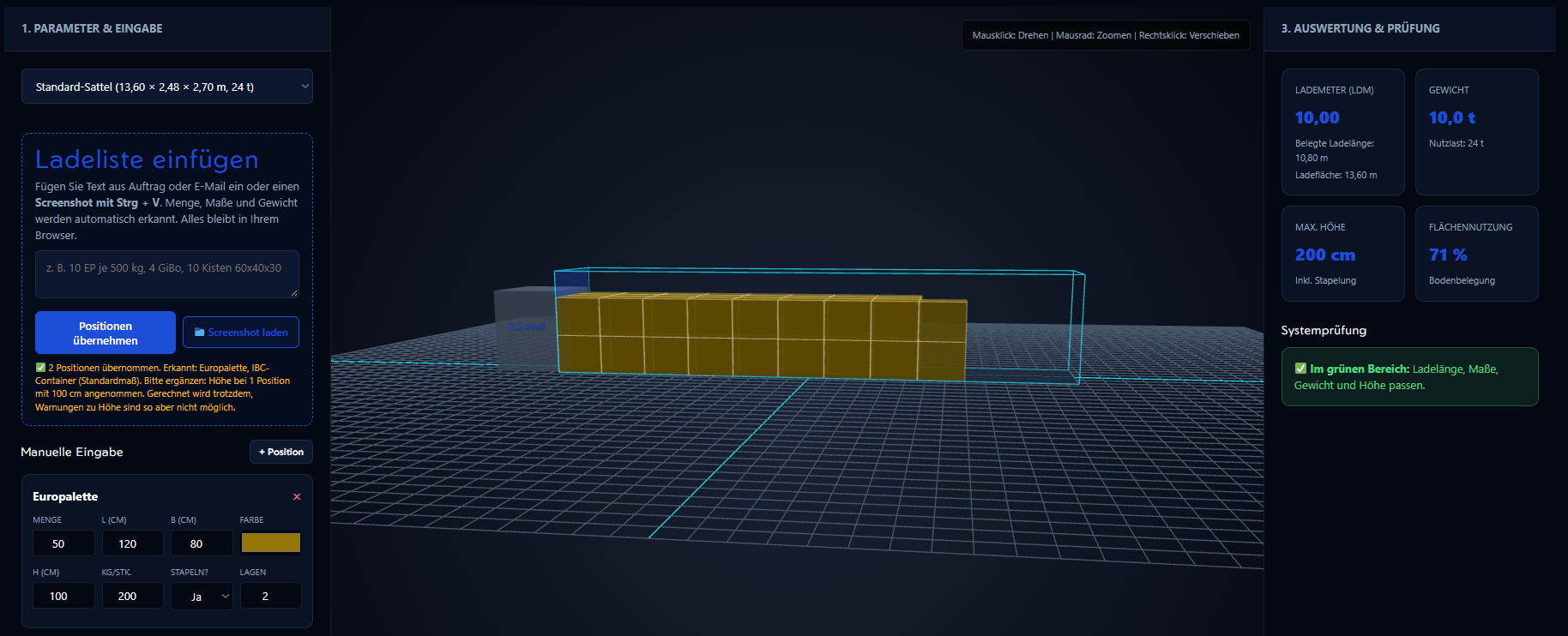
Especially handy on a busy dispatch day: with Paste load list you bring in freight details as text or as a screenshot with Ctrl + V, straight from your clipboard. Text recognition runs locally in your browser; your image is never uploaded to a server.
Postcode search across Europe
International transport needs reliable data across borders. The radius search currently covers 10 countries and we keep adding more, so you can find the right catchment area anywhere in Europe.